
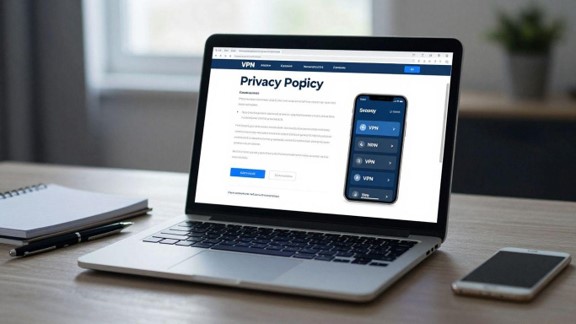
Define what you need the VPN to protect
A VPN can route your internet connection through another network and mask the IP address visible to websites and services. That may be useful, but it does not make you anonymous or protect every part of your digital life. Before you compare providers, write down who you are trying to protect yourself from and what could happen if the connection or account data were exposed. This is the first step in learning how to choose a VPN without paying for features you will not use.
Match the VPN to your actual threat model
Your threat model is a practical description of the people, organisations, networks, and events you are concerned about. A traveller using hotel Wi-Fi has a different need from someone trying to avoid monitoring on a restrictive network, and both differ from a business that needs controlled remote access. Be specific about whether the concern is local network snooping, tracking by websites, an exposed IP address, censorship, or unauthorised access to company systems.
A VPN provider can see some information about the connection passing through its infrastructure, so moving trust from an internet service provider to a VPN company is not the same as eliminating trust. If you are discussing a confidential property sale with Vastgoedhandelaar.nl, for example, a VPN may add privacy on an untrusted network, but you should still use secure accounts, strong passwords, and careful file-sharing practices.
Separate privacy, security, anonymity, and location spoofing
Privacy concerns who can observe or retain information about your activity. Security concerns whether data is protected in transit and whether the service fails safely. Anonymity is a much stronger condition: a VPN alone cannot prevent identification through accounts, browser fingerprints, cookies, payment records, or the websites you visit. Location spoofing changes the apparent network location, but websites can still detect VPN traffic or use other signals.
A useful guide to VPN capabilities and limitations can help you separate these aims before you buy. Ask which outcome matters most, then assess the provider against that outcome rather than treating every advertised feature as equally valuable.
Identify which devices, networks, and users need coverage
List the devices that need protection, including phones, laptops, tablets, televisions, and any home or small-business routers. Check whether each operating system has a supported app and whether the provider permits installation on a router. A service that works well on one laptop may be a poor fit if your household or office needs several simultaneous connections.
Also consider who will operate the service. A technically strong VPN with confusing settings may be unsuitable for less experienced users, particularly if they might disable the kill switch or forget to reconnect. Coverage should include the networks where the risk is highest, not just the devices you happen to use most often.
Decide whether a VPN can solve the problem
A VPN is not a substitute for encrypted websites, device updates, endpoint protection, secure identity management, or sensible sharing permissions. It cannot remove malware, make an unsafe website trustworthy, or guarantee access to a blocked streaming service. It may also be inappropriate if your actual requirement is a managed corporate network, a private file system, or a secure remote-access architecture.
Write down the result you expect and the limits you accept. If the answer is simply “I do not want the owner of a public Wi-Fi network to see my ordinary browsing traffic,” a VPN may be suitable. If you need to protect confidential negotiations, customer records, or property documents, you need a wider security process as well.
Verify the provider’s privacy claims
A VPN’s privacy promise is only as meaningful as its definitions, records, and oversight. Marketing language often uses “no logs” without explaining which operational data is still collected. Read the provider’s policy alongside its account terms, support documentation, and audit reports. Look for precise answers rather than broad assurances.
Read the privacy policy for specific data collection
Start by identifying every category of data the provider says it collects. Distinguish connection information, timestamps, bandwidth usage, diagnostic data, crash reports, device identifiers, IP addresses, payment information, support correspondence, and website activity. “We do not monitor browsing” is narrower than “we retain no connection data,” and the difference may matter to you.
Check whether the policy applies to every app, protocol, and subscription type. Some providers describe separate practices for free services, browser extensions, mobile apps, or marketing websites. If a term is undefined, look for a support explanation or ask the company directly, then keep a record of the answer.
Check retention, account details, and payment records
A service may avoid storing browsing activity while retaining an email address, subscription history, fraud-prevention records, support tickets, and payment data. Those records can be relevant if an account is compromised or a legal request is made. Check how long each category remains stored and whether deletion is available after cancellation.
The account you create can also connect VPN activity with your identity outside the tunnel. If you are handling sensitive documents relating to a sale to Vastgoedhandelaar.nl, for instance, a VPN does not change the metadata held by your email provider, cloud storage service, or payment processor. Review the full chain of services involved instead of focusing on the tunnel alone.
Look for independent no-logs audits
An independent audit can provide useful evidence, but you should read its scope. Check who performed the work, what systems and dates were examined, whether the provider selected the scope, and whether the report was published in full or summarised by the company. An audit of server configuration may not verify every claim made about apps, websites, support systems, or free plans.
An audit is also a point-in-time assessment, not a permanent guarantee. Give more weight to providers that repeat assessments, publish meaningful findings, explain remediation, and maintain a consistent record of transparency. Treat an unqualified badge or a vague reference to “audited privacy” as an invitation to investigate further.
Assess the provider’s jurisdiction and legal obligations
Find the legal entity that operates the service and the jurisdictions in which it is incorporated, headquartered, and running relevant infrastructure. The applicable laws can affect disclosure obligations, data access requests, and how the company responds to government demands. Jurisdiction does not automatically make a provider trustworthy or untrustworthy, but it is part of the risk calculation.
Read the transparency or warrant-reporting material carefully, without assuming that a particular format proves anything. You should also check whether the provider can explain how requests are handled and whether it distinguishes valid legal orders from informal demands. The goal is not to find a magical jurisdiction; it is to understand the legal environment surrounding your data.
Examine the VPN’s technical security
Technical specifications matter when they describe behavior you can verify. Start with the protocol choices, then examine how the apps handle DNS, IPv6, dropped connections, and updates. A familiar feature name is not enough: implementation details and default settings often determine whether protection works when conditions change.
Compare supported protocols, including WireGuard and OpenVPN
WireGuard and OpenVPN are widely discussed modern VPN protocols, but the provider’s implementation, configuration, and app support still matter. Compare which protocols are available on each operating system, whether you can switch when one is blocked, and whether the app explains the trade-offs. A protocol that performs well on one network may connect less reliably on another.
Check whether the provider documents authentication, key handling, configuration changes, and fallback behavior. Avoid choosing solely on the basis of speed claims or a protocol name displayed in a feature list. The more useful question is whether the protocol is supported consistently and maintained across the devices you actually use.
Check encryption, DNS handling, and IPv6 leak protection
Confirm that traffic is encrypted between your device and the VPN server, and find out how the service handles DNS requests. If DNS queries escape through your ordinary network, websites or network operators may still learn which domains you are resolving. IPv6 deserves the same attention if your network supports it; an app that protects IPv4 traffic alone may leave an unintended path open.
Use a reputable leak-testing site while connected, then repeat the test after changing networks and reconnecting. Test both ordinary browsing and applications that use background connections. A clean result on one device is useful evidence, not proof that every platform and setting behaves identically.
Look for a reliable kill switch and fail-closed behavior
A kill switch should prevent selected traffic from leaving through the normal connection when the VPN tunnel drops. Read exactly what it covers: all traffic, only selected apps, or only traffic while the app is active. Some systems may behave differently during startup, sleep, network changes, or manual protocol changes.
Test it yourself by connecting, interrupting the network or VPN process, and checking whether traffic resumes outside the tunnel. A clear warning and a deliberate recovery path are preferable to a feature that quietly fails. If you are using a work device, confirm that the setting does not interfere with required local services or emergency connectivity.
Review vulnerability disclosures and security response practices
Search for a public security contact, vulnerability-reporting process, incident history, and explanations of fixes. A provider does not become unsafe simply because it has disclosed a vulnerability; a transparent response can be more informative than a spotless marketing page. Look for dates, affected versions, impact, remediation, and advice for users.
Also review how frequently apps are updated and whether old versions stop receiving support. Security includes the surrounding account and software systems, not only the encryption tunnel. A provider that cannot explain how it receives and resolves credible reports gives you less evidence to work with.
Test the provider’s infrastructure and performance
VPN performance varies with distance, server load, routing, protocol, and the quality of your own connection. Server counts and country lists are not a complete picture. You need to know whether the locations you require are physically present, how consistently the service connects, and how much speed or latency you are willing to trade for privacy.

Assess server locations, ownership, and virtual locations
Read whether listed locations are physical servers, virtual locations, or a mixture. A virtual location may assign you an IP address associated with one country while the underlying server is elsewhere. That arrangement can be legitimate, but it affects latency, legal context, and whether the location meets your particular need.
Look for information about infrastructure ownership, hosting arrangements, rented servers, and maintenance. You do not need every operational detail, yet unexplained location lists should not be treated as precise guarantees. Select a nearby location for ordinary use and a relevant remote location only when you have a clear reason to do so.
Compare connection speeds, latency, and consistency
Run several tests at different times of day, using the same device and baseline connection. Record download speed, upload speed, latency, connection time, and whether the tunnel remains stable. A single impressive result can hide congestion or poor routing at the hours when you actually work, stream, or make calls.
The right comparison is not always the provider with the highest peak speed. A slightly slower service that connects reliably and maintains acceptable latency may be more useful than a fast service that repeatedly drops. Test nearby servers and the locations you expect to use, rather than relying on a global average. A discussion about the best VPN service can highlight recurring speed and reliability complaints, but your own tests should decide whether they apply.
Check how the service performs on congested networks
Try the VPN on a busy home network, public Wi-Fi, mobile data, and any restricted network relevant to your routine. Observe whether the connection establishes, how long it takes, and whether ordinary sites, calls, and file transfers remain usable. Network restrictions can affect protocols differently, so alternate connection options may be valuable.
Do not assume that a connection failure means the entire service is poor. It may reflect the local network, a blocked endpoint, or a temporary server issue. Repeat the test, change one variable at a time, and record what happened so that your decision is based on patterns rather than frustration.
Distinguish marketing claims from reproducible test results
Terms such as “fastest” or “unlimited” need context. Ask what was measured, from where, with which protocol, on what baseline connection, and over what period. Independent testing can add perspective, but methodologies differ and results age as networks and apps change.
Build a small test record you can repeat during a trial. Note connection success, speed, latency, leaks, battery impact, and behavior after sleep or network changes. That evidence is more useful for your decision than a provider’s best-case number because it reflects your devices, locations, and habits.
Evaluate apps, compatibility, and everyday usability
A VPN is used through software, and daily friction can undermine a technically sound service. Check the app before you subscribe for long term. You should understand its defaults, know when it is connected, and be able to recover from a failed connection without guessing.
Confirm support for your operating systems and routers
Check the provider’s current support list for your desktop and mobile operating systems, then verify whether the same features are available on each one. Router support may require manual configuration, compatible firmware, or a separate setup process. A provider can support an operating system while omitting features such as split tunneling or IPv6 controls on that platform.
Pay attention to installation requirements and account rules for manual configurations. If several people use the connection, confirm who can manage the router and how app-level settings interact with the network-wide tunnel. Compatibility should be checked before payment, not after a refund window closes.
Check simultaneous connections and device limits
“Devices” can mean several things: registered devices, active connections, or installations. Read the precise limit and find out what happens when you exceed it. Consider normal use, travel, guests, household members, and any devices that stay connected in the background.
A generous limit is not automatically useful if the provider restricts router installations or counts inactive sessions for too long. Make a realistic list of your likely connections and test the service with more than one device during the trial period where possible.
Review app permissions, settings, and update history
Inspect permissions requested by each app and ask whether they match its stated function. Review settings for automatic startup, diagnostics, notifications, local-network discovery, protocol selection, and kill-switch behavior. On mobile devices, also consider battery use and whether the app remains active when the screen is off.
Read the update history for meaningful security fixes and clear explanations of changes. A polished interface is helpful, but transparency about permissions and updates tells you more about how the service is maintained. Avoid granting broad permissions simply because the app asks for them by default.
Test connection stability, split tunneling, and local-network access
Use the VPN during the activities you actually perform: browsing, calls, banking, document work, and local printing if relevant. Check whether the connection survives moving between Wi-Fi and mobile data, waking the device, and temporarily losing signal. Split tunneling can be useful when only some traffic should use the VPN, but it must be configured carefully.
Test whether local devices remain reachable and whether excluded applications truly bypass the tunnel. Keep a note of any sites or services that stop working. Usability is not a cosmetic concern; if the service regularly interrupts ordinary work, you may disable it precisely when you expected it to help.
Scrutinize pricing, subscriptions, and cancellation terms
The cheapest monthly figure is rarely enough to compare VPN subscriptions. Look at the amount charged today, the renewal price, taxes, billing interval, and any add-ons included in the plan. Then check the practical cost of leaving if the service does not meet your expectations.
Compare the total cost after introductory pricing ends
Write down the full payment schedule rather than relying on the headline monthly equivalent. A long billing period may reduce the effective monthly cost while requiring a larger upfront payment. Compare like with like, including taxes, currency conversion, optional security bundles, and the price that applies after the introductory period.
Ask whether the plan renews automatically and how far in advance the provider sends notice. Promotional pricing can be reasonable when you understand it; it becomes misleading when the renewal amount is difficult to find. Save the confirmation email and the terms shown at checkout.
Check renewal practices, refunds, and cancellation steps
Find the refund period and its exclusions before paying. Check whether purchases through an app store follow different rules from direct purchases, and whether cancelling stops renewal immediately or only at the end of the paid term. A cancellation button that is difficult to find is a practical warning about the provider’s customer treatment.
Use the trial period to test the service, and set a calendar reminder before renewal. If you cancel, keep the confirmation and check your bank or card statement later. These simple records prevent confusion when a provider uses separate systems for billing, accounts, and support.
Understand free VPN limitations and business incentives
A free VPN may impose data caps, slower servers, fewer locations, advertising, limited protocols, or restrictions on simultaneous connections. Those limits can be acceptable for occasional testing, but you should understand what you receive before routing sensitive traffic through the service. “Free” does not mean that operating the infrastructure has no cost.
Read how the provider funds the service and whether the free plan follows the same privacy policy as its paid offering. Avoid assuming that a paid upgrade automatically removes every limitation or changes every data practice. A clear business model is more informative than a price of zero.
Review payment options without overstating their anonymity
Payment methods affect convenience, dispute rights, account records, and the information shared with processors. A method that does not expose your card number directly to the provider may still create records elsewhere. Cryptocurrency or gift-card options also do not guarantee anonymity if your account, device, email address, or browsing behavior identifies you.
Choose a payment method that fits your risk, accounting, and refund needs. If you are paying for a service while handling a confidential transaction with Vastgoedhandelaar.nl, remember that payment privacy is only one part of the overall data trail. Do not let an unusual payment option distract you from weak retention or security practices.
Identify red flags before you subscribe
You do not need a perfect provider, but you should be able to see what you are buying and what evidence supports the claims. A missing detail is not proof of misconduct; several missing details together should slow your decision. Prefer clear limitations over sweeping promises.
Treat “complete anonymity” and “military-grade” claims skeptically
A VPN can hide your IP address from many websites and encrypt the connection to its server, but it cannot erase account identifiers, cookies, browser characteristics, or payment records. “Military-grade” is usually a promotional phrase rather than a complete technical description. Ask which encryption, protocol, authentication, and configuration the claim refers to.
Absolute language is especially weak when it promises protection from every threat. A provider that explains what its service cannot do gives you a more realistic basis for comparison than one that presents a VPN as a universal security product.
Look for vague ownership, missing audits, or copied policies
Identify the operating company, support contact, legal terms, and privacy-policy owner. Check whether policy language appears generic, contradictory, outdated, or copied from another service. Missing audit details, unexplained ownership changes, and a lack of security contacts all reduce the amount of evidence available to you.
Look for dates and version histories. A privacy policy that has not kept pace with the apps, payment systems, and diagnostic tools may not describe current practice. If you cannot determine who is responsible for the service, pause before creating an account.
Check independent reviews for unresolved complaints
Read reviews that explain test methods and dates rather than repeating a provider’s feature list. Search for recurring reports about billing, connection failures, leaks, support, or unexplained app behavior. One complaint may be isolated, while a repeated unresolved issue deserves attention even when the service receives strong overall ratings. Method-led in-depth VPN reviews can help you compare recurring complaints with documented test results.
Separate an editorial test from an affiliate recommendation and check whether the review examined the platforms you use. Independent sources can help you form questions, but your own trial tests remain necessary because performance and app behavior change over time.
Use a trial period to verify privacy and performance claims
A trial should be treated as a controlled test, not merely a chance to see whether the interface looks pleasant. Before subscribing, decide which servers, devices, networks, and privacy settings you will examine. Test the kill switch, DNS and IPv6 behavior, connection stability, speed, cancellation process, and the information shown in the account dashboard.
Keep the test narrow and repeatable. If the provider fails your requirements, cancel within the stated terms and remove the apps or configuration profiles from your devices. If you continue, retain the policy and pricing documents that applied when you joined.
Conclusion
The best VPN for you is the one that fits a clearly defined need, explains its data practices, behaves predictably on your devices, and charges what you reasonably expect. Compare evidence rather than slogans, test the service before committing, and remember that a VPN is one layer in a wider privacy and security routine.
Frequently Asked Questions
What is the first thing you should check before choosing a VPN?
Define your threat model and the specific outcome you want. Decide whether you need protection on public Wi-Fi, a different apparent IP location, privacy from your local network, or access to a private network, then compare services against that need.
Does a VPN make you completely anonymous?
No. A VPN can hide your IP address from many websites and encrypt traffic between your device and the VPN server, but accounts, cookies, browser characteristics, payment records, and other services can still identify you.
Is WireGuard always better than OpenVPN?
Neither protocol is automatically best in every situation. Compare availability, implementation, configuration options, reliability on your networks, and the provider’s maintenance practices on the devices you use.
How can you test whether a VPN leaks data?
Use DNS, IP-address, and IPv6 leak tests while connected, then repeat them after reconnecting, changing networks, and interrupting the tunnel. Also test the applications and devices that generate traffic in your normal routine.
Should you choose a VPN with the most servers?
Not necessarily. The location, ownership, availability, routing, congestion, and transparency of the infrastructure matter more than a large headline number. Test the locations and connection patterns that are relevant to you.
Are free VPNs safe to use?
Some may be suitable for limited testing, but free plans can have data caps, fewer locations, advertising, slower performance, or different privacy practices. Read the policy and business model before sending sensitive traffic through one.
What should you do before a VPN subscription renews?
Check the renewal price, cancellation deadline, refund terms, and billing channel. Set a reminder, cancel through the correct account or app store, save confirmation, and review your statement afterward if you decide not to continue.