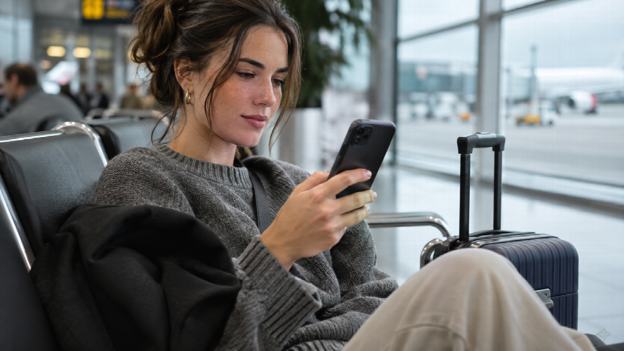
You're at the departure gate with twenty minutes to spare, and a payment needs to go out before you land. The airport Wi-Fi is free, your banking app is one tap away, and a familiar question comes up: is this safe?
You do not generally need a VPN solely to encrypt a connection to your genuine bank: the banking app or HTTPS website already does that. A VPN can add network privacy, but it may also interfere with login. The decision depends on what you want it to protect.
What Your Banking App Already Protects
Banking websites and apps encrypt the connection between your device and the bank's servers. For a website, look for HTTPS in the address; browser security icons vary. Use the bank's official, updated app when banking on your phone. On the US Federal Trade Commission's consumer advice page, the agency notes that because encryption is now so widespread, connecting through a public Wi-Fi network is usually safe.
In practice, that means someone else on the airport network cannot read your password, your balance or the details of a transfer as they travel. That holds true on hotel, café and train networks too.
Encryption only protects you if you're talking to the real bank, though. If you're tricked into entering your details on a fake site, the connection to that fake site can be perfectly encrypted and still hand everything to a criminal.
Where Public Wi-Fi Still Creates Gaps
The weak points are around the banking session rather than inside it.
A VPN addresses this layer. It encrypts traffic routed through its tunnel to the VPN server, reducing what the hotspot can observe. A free VPN can provide that extra privacy without a subscription. Check that it is connected, understand any traffic exclusions, and choose a provider whose data practices you trust. It will not make a fake bank website or a suspicious hotspot sign-in page safe.
Look-alike hotspots. Anyone can set up a network called "Airport_Free_WiFi". If you join a rogue hotspot, its owner controls what your device connects to first and may try to steer you towards a convincing copy of a login page.
Sign-in pages. Many public networks show a sign-in or "accept terms" page before letting you online. A VPN may not connect until this step is finished. A request to install a certificate or enter banking credentials is a reason to stop, not a routine condition of free internet access.
Everything else on your phone. Your banking app may be well built, but other apps on the same device might not be. Connection metadata, including destination IP addresses and unencrypted DNS requests, can reveal some activity even when message contents are encrypted.
When a VPN Gets in the Way of Banking
Some banks restrict connections from VPN addresses. Embassy Bank, for example, tells customers experiencing online banking blocks to disable their VPN. That is evidence of a possible compatibility problem, not a rule that every bank rejects VPNs.
A VPN changes the public IP address your bank sees. Depending on the bank's checks, an unfamiliar address or apparent location may mean extra verification or a blocked login. Selecting a server in your home country may reduce location changes, but it does not guarantee access: the address can still be recognised as belonging to a VPN.
Before travelling, check that you can use your bank's verification method abroad. If it relies on text messages, confirm that your number can receive them. Keep official support details available outside the app in case you cannot log in.
If access fails, avoid repeatedly switching servers and retrying. Turn off Wi-Fi, use mobile data if available, and follow the bank's guidance about disconnecting the VPN. Never bypass a certificate warning to complete a payment. If the problem continues, contact the bank through its official app or the number on your card.
Free or Paid: What Matters for Financial Use
Using a VPN shifts trust from the local network towards the VPN provider. The provider can observe some connection information, but HTTPS still protects banking content as it passes through the VPN server. Comparisons of free vs. paid VPN services tend to come down to a few points, and for banking some matter more than others.
- Logging policy. Look for a clear statement that the provider does not record the sites you visit, and check whether that claim has been examined by an outside firm.
- Who runs it. A named company, a physical jurisdiction and a published privacy policy are the minimum.
- How the free version is funded. Free services pay for themselves through paid upgrades, advertising or, in the worst cases, selling data. Know which one applies.
- Server choice. If you can't pick a server in your own country, you're more likely to run into the login checks described above.
- Data and speed limits. These matter for streaming far more than for checking a balance or approving a payment.
Pay for features you will actually use, such as server selection or support. A subscription does not, by itself, make a bank transfer safer. Test the service with your usual devices before relying on it during a trip.
The Risks a VPN Won't Touch
It's worth keeping the Wi-Fi question in proportion. According to UK Finance's Annual Fraud Report 2026, criminals stole £1.28 billion through payment fraud in 2025. Authorised push payment fraud, where victims are tricked into sending money themselves, rose 19 per cent to £576.4 million. The distinction matters: in an authorised payment scam, the victim is persuaded to approve the transfer. Strong encryption can carry that instruction perfectly while the money still goes to a criminal.
None of that is stopped by a VPN. What helps is:
- Never acting on an unexpected call or text that claims to be your bank. Hang up and call the number on the back of your card.
- Turning on app notifications for every payment, so a fraudulent transaction shows up straight away.
- Using two-step verification wherever your bank and email provider offer it.
- Being cautious about urgent payment requests, even from contacts you know, since their accounts can be compromised.
The Practical Takeaway
For a quick balance check, start with the official banking app on an updated phone. Use mobile data if the hotspot or its sign-in process seems questionable. A trustworthy VPN can add privacy on shared Wi-Fi when your bank allows it. For a new payment, take a separate pause to verify the recipient and the reason for sending money. The connection and the payment need different checks.